Discover the best mechanical keyboard switches with our comprehensive typist's comparison guide. Enhance your typing experience and choose the right switch today!
Understanding Mechanical Switch Types for Typists
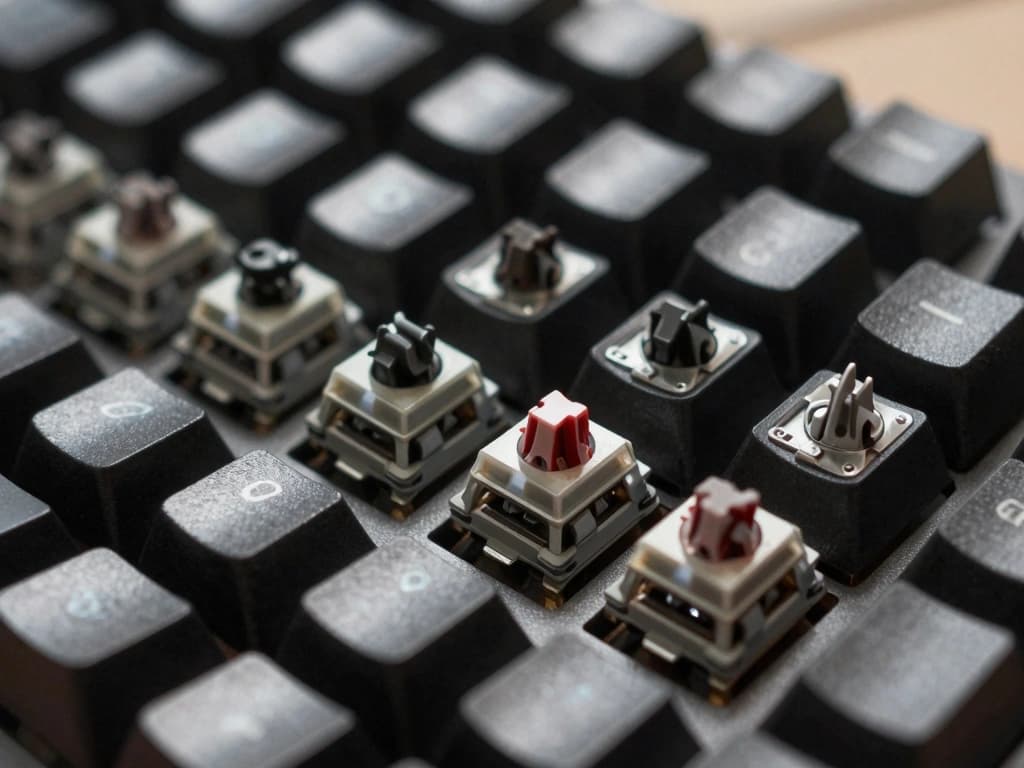
Mechanical keyboards have gained immense popularity among typists for their tactile feedback, durability, and overall typing experience. Central to this appeal are the mechanical switches themselves, which come in various types, each offering distinct characteristics that can significantly affect typing performance. In this guide, we will compare the three primary types of mechanical switches: linear, tactile, and clicky.
Linear Switches: Smooth and Quiet Typing
Linear switches are known for their smooth keystrokes, requiring consistent pressure from the top to the bottom of the keypress without any tactile bump or audible click. This characteristic makes them ideal for those who favor a quiet typing experience. Popular linear switches include the Cherry MX Red and Black switches.
- Cherry MX Red: With an actuation force of 45g and a linear travel distance of 2mm, these switches are favored for fast-paced typing and gaming due to their smoothness.
- Cherry MX Black: These switches require a higher actuation force of 60g, which may provide more resistance for typists who prefer a firmer keypress.
Linear switches are often preferred by typists who need to type rapidly and are less concerned with tactile feedback, making them a good choice for programmers and writers who prioritize speed over sensation.
Tactile Switches: Feedback for Enhanced Typing Experience
Tactile switches provide a noticeable bump at the actuation point, offering feedback that can enhance typing accuracy. The tactile response helps typists know when their keystroke has registered, reducing the chances of bottoming out and improving typing efficiency. The Cherry MX Brown switch is a quintessential example of a tactile switch.
- Cherry MX Brown: With an actuation force of 45g and a tactile bump at 2mm of travel distance, these switches are a popular middle ground for typists who need feedback without the noise of clicky switches.
Tactile switches are particularly appreciated by writers and office workers who value both speed and accuracy, and they can help reduce fatigue during long typing sessions.
Clicky Switches: Auditory Feedback for Precision
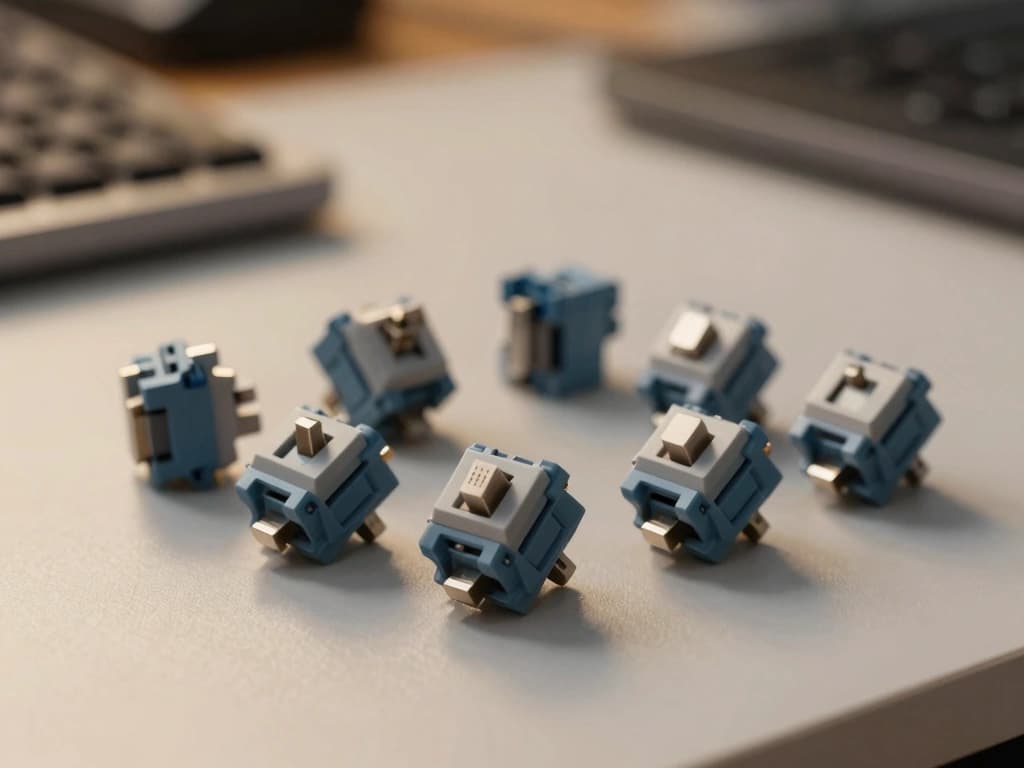
Clicky switches are characterized by both a tactile bump and an audible click sound when the switch is actuated. This auditory feedback can enhance the typing experience for some users, making it easier to gauge the actuation of each keypress. The Cherry MX Blue switch is a well-known example of a clicky switch.
- Cherry MX Blue: These switches require an actuation force of 50g and provide a tactile bump along with an audible click at 2.2mm of travel distance, making them a favorite among typists who enjoy a traditional typing experience.
Clicky switches are often favored by writers and typists who enjoy auditory feedback, as the sound can provide a satisfying confirmation of each keystroke, although they may not be suitable for quiet office environments.
Key Characteristics Affecting Typing Performance
When selecting a mechanical switch for typing, several key characteristics can significantly influence performance and comfort. Understanding these factors can help typists make informed decisions about which switches best suit their needs.
Actuation Force: Finding Your Ideal Resistance
The actuation force is the amount of pressure required to register a keypress. It is typically measured in grams (g) and varies among different switch types. Typists should consider their comfort level when choosing actuation force:
- Light switches: Often around 40-50g, these switches are easier to press, allowing for faster typing speeds. Example: Cherry MX Red.
- Medium switches: Generally around 45-55g, these provide a balanced resistance suitable for most typists. Example: Cherry MX Brown.
- Heavy switches: Typically 60g or more, these switches require more force, which may enhance typing accuracy for some users. Example: Cherry MX Black.
Travel Distance: Impact on Typing Speed and Comfort
The travel distance is the distance a key travels before it actuates. Most mechanical switches have a travel distance of 4mm or less, but the actuation point can vary. For typists, a shorter travel distance can lead to faster typing speeds:
- Short travel switches: Such as Cherry MX Red, actuation occurs at 2mm, allowing for quicker keypresses.
- Standard travel switches: Around 2mm actuation, offering a balance between speed and feedback. Example: Cherry MX Brown.
Understanding the travel distance can help typists select switches that align with their typing style, whether they prefer speed or tactile feedback.
Durability and Lifespan: Long-Lasting Typing Solutions
Mechanical switches are generally more durable than their membrane counterparts, with lifespans typically rated for 50 million keystrokes or more. This longevity makes them a wise investment for heavy typists. For example:
- Cherry MX switches: Known for their reliability, most Cherry MX switches are rated for 50 million keystrokes.
- Kailh switches: Also offer similar durability, making them appealing for budget-conscious typists.
When considering durability, typists should also factor in their typing habits and environment. For those who type extensively, investing in a more durable switch can lead to better long-term satisfaction.
Comparative Analysis of Popular Mechanical Switch Brands
Numerous brands manufacture mechanical switches, each with unique characteristics. Here’s a comparative analysis of some of the most popular brands among typists:
Cherry MX: The Industry Standard
Cherry MX switches are often regarded as the gold standard in the mechanical switch industry. With a variety of options (Red, Brown, Blue, and Black), Cherry MX switches cater to different typing preferences:
- Cherry MX Red: Linear, light, and ideal for fast typing.
- Cherry MX Brown: Tactile, balanced, and great for moderate typing speed.
- Cherry MX Blue: Clicky, providing excellent feedback for typists who enjoy sound.
- Cherry MX Black: Heavy and linear, suited for those who prefer resistance.
Overall, Cherry MX switches are highly recommended for their reliability, performance, and versatility.
Razer Switches: Customization and Performance
Razer has developed its line of mechanical switches, including the Razer Green, Orange, and Yellow switches. Each switch is designed for specific preferences:
- Razer Green: Clicky and tactile, similar to Cherry MX Blue, offering auditory feedback.
- Razer Orange: Tactile but quieter, appealing to those who want feedback without the noise.
- Razer Yellow: Linear and silent, geared towards gamers but also suitable for typists seeking smooth keystrokes.
Razer switches are known for their customization, with options for RGB lighting and other features, making them popular among gamers and typists alike.
Kailh Switches: Versatility and Options
Kailh switches offer a wide range of options, from linear to clicky, and are often more budget-friendly than Cherry MX switches. Popular Kailh switch types include:
- Kailh Box Switches: These switches are known for their dust and water resistance, making them suitable for a variety of environments.
- Kailh Brown: Tactile, similar to Cherry MX Brown, providing feedback for typists who prefer a tactile response.
- Kailh Red: Linear and smooth, comparable to Cherry MX Red, ideal for fast typists.
Kailh switches are a great option for those seeking versatility without sacrificing quality.
Personal Preferences: Choosing the Right Switch for Your Typing Style
Choosing the right mechanical switch ultimately comes down to personal preference and typing style. Here are some considerations to help typists find their ideal switch:
Touch Typists vs. Hunt-and-Peck Typists
Touch typists, who rely on muscle memory and aim for high speed and accuracy, may benefit from tactile or clicky switches that provide feedback upon actuation. In contrast, hunt-and-peck typists, who take their time to find keys, might prefer linear switches for their smoothness and lack of noise.
Adjusting to Different Switch Types: A Typist's Journey
Switching from one type of mechanical switch to another can require an adjustment period. For example, transitioning from clicky to linear switches may feel odd initially due to the lack of feedback. It's essential for typists to give themselves time to adapt to new switches before concluding their effectiveness.
Testing Switches: Hands-on Experience and Recommendations
Before committing to a specific switch, it is advisable for typists to test various switches in store settings or through switch testers. Many keyboard manufacturers provide demo keyboards with different switch types, allowing users to experience the feel and feedback of each switch type firsthand.
Maintenance and Care for Mechanical Keyboard Switches
To maximize the lifespan and performance of mechanical switches, proper maintenance and care are essential. Here are key practices for typists to consider:
Cleaning Techniques for Longevity
Regular cleaning can prevent dust and debris from accumulating under the keycaps and affecting the switches:
- Keycap Removal: Use a keycap puller to safely remove keycaps for cleaning.
- Compressed Air: Utilize compressed air to blow out dust and debris from the keyboard.
- Isopropyl Alcohol: Clean the exposed switches with a cotton swab dipped in isopropyl alcohol.
Routine cleaning can significantly extend the lifespan of mechanical switches and maintain typing performance.
Switch Replacement: When and How to Do It
Mechanical switches are designed for longevity, but after extensive use, they may wear out. Here’s how to replace them:
- Identify the Issue: If a switch feels sticky or fails to actuate, it may require replacement.
- Desoldering: For hot-swappable keyboards, switch replacement is straightforward. For non-hot-swappable keyboards, you may need to desolder the switches from the PCB.
- Insert New Switches: Place the new switches in the corresponding slots and solder them back if necessary.
Knowing when and how to replace switches can keep your keyboard performing optimally.
Modifying Switches: Enhancing Performance and Feel
For enthusiasts, switch modification (known as "switch modding") can enhance the typing experience. Common modifications include:
- Lubing: Applying lubricant to the switch components can reduce friction and improve smoothness.
- Spring Swapping: Changing the factory spring for a different weight can alter the actuation force and feel.
- Sound Dampening: Adding foam or silicone in the keyboard case can reduce noise and improve acoustics.
Modifying switches requires careful handling but can lead to a highly personalized typing experience.
Conclusion
Choosing the right mechanical keyboard switch is a crucial step in enhancing your typing experience. With the variety of switch types available, typists can select switches that align with their typing styles, preferences, and needs. Understanding the differences between linear, tactile, and clicky switches, along with key characteristics like actuation force, travel distance, and durability, will help typists make informed decisions. Additionally, proper maintenance and personal experimentation with different switch types can lead to a more satisfying and productive typing journey. Whether you're a seasoned typist or just starting, investing time in finding the perfect mechanical switch can transform your keyboard experience.